Free
$0
For exploring Quartal.
- Full music workspace
- Transcribe recordings
- Piano, bass fretboard, tab and sheet music
- Slow down, transpose and edit
- 10 AI messages each month
- Save and share Quartal Sessions
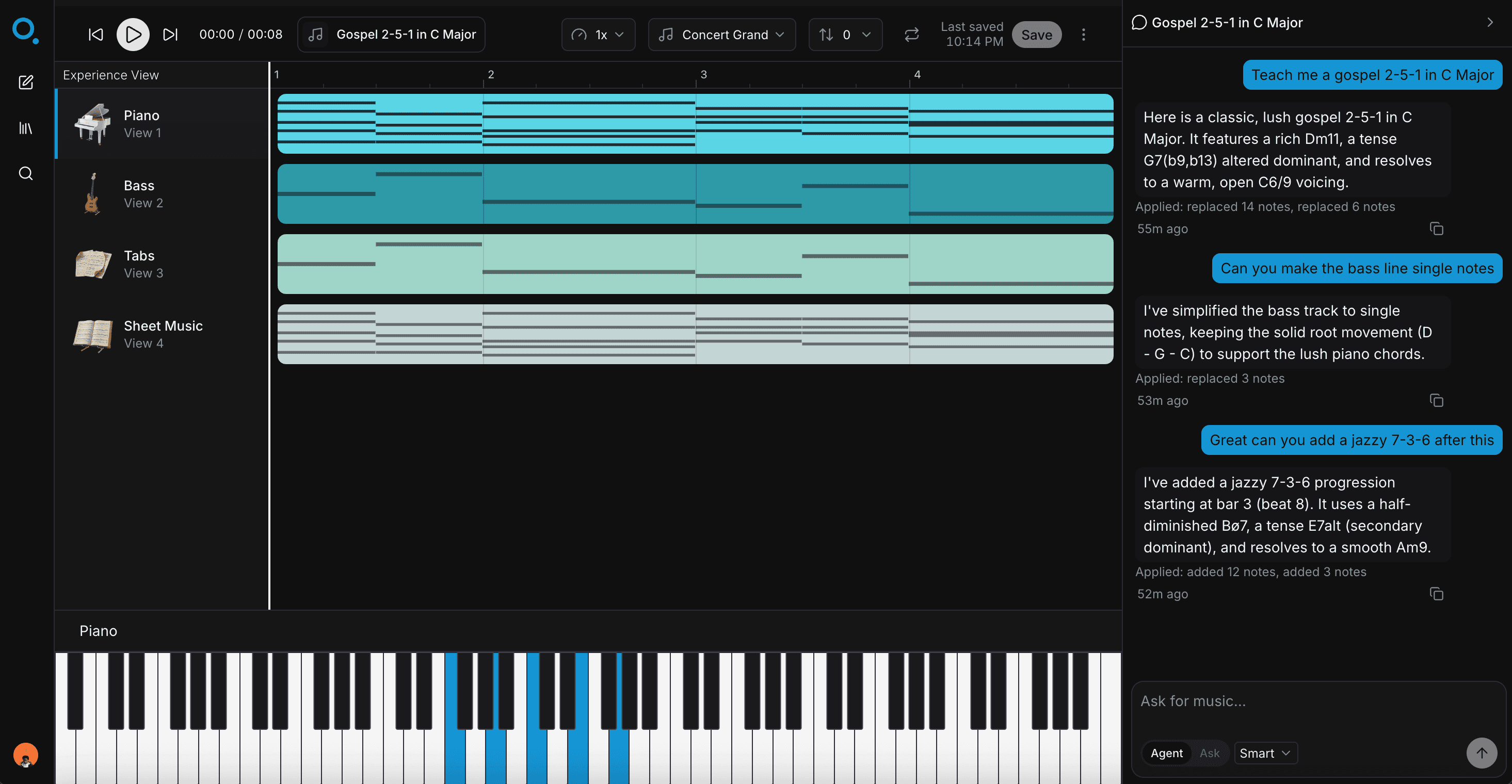
Ask what you want to learn or bring in a recording. Quartal creates playable music, explains it in context, and shows you how to play it on your instrument.
Why I built Quartal
I've spent a ridiculous amount of my life trying to figure out what other musicians were playing.
Growing up playing gospel music, that usually meant finding a recording, replaying the same few seconds over and over, trying to hear the bass movement or chord voicing, finding someone's YouTube tutorial if I was lucky, and eventually piecing it together by ear.
And even when I understood the theory, there was still another problem.
Someone could tell me, “That's a ii–V–I with a tritone substitution.”
Great. But what do I actually play?
Where are the notes? What does it sound like? What's a good fingering? What happens if I put it in another key? Can you show me a simpler version? Can I slow it down? Why does that note work?
Music learning has always felt strangely fragmented.
The recording is in one place. The lesson is somewhere else. The tab is somewhere else. The sheet music is somewhere else. And now the AI explanation is in another chat window.
You are still responsible for connecting all of it.
I wanted the computer to be able to do something much more useful: actually sit with you inside the music.
So I built Quartal.
You can ask it:
“Teach me a gospel 2–5–1 in F.”
Quartal doesn't just describe one. It can put the notes in front of you, let you hear them, show them on the piano or bass, turn them into tab or sheet music, slow them down, transpose them, and let you ask:
“Now make it more advanced.”
Or you can start with a recording you're trying to learn. Quartal can turn the music into a playable workspace and give you somewhere to ask questions about the actual thing you're hearing.
That's the idea behind what I call a Quartal Session:
A persistent musical conversation between you, the music, and Quartal.
I don't think learning music should mean working through a generic curriculum until you finally reach the music you care about.
I think you should be able to start with the thing you want to play, and learn whatever you're missing along the way.
Quartal is still early. There's a lot I want it to eventually understand, including listening to you play, learning your musical vocabulary, and knowing what you personally need to work on next.
But even now, it has already become the easiest way I've found to explore something musically and immediately understand how to play it.
If that sounds like the way you've always wanted to learn too, I'd love for you to try it.


Michael Osei
Founder of Quartal
Pricing
Start on Free. Move to Pro when Quartal becomes part of how you practice.
$0
For exploring Quartal.
$15 / month
$150/year · 2 months free
For musicians who learn with Quartal regularly.
Quartal is an AI workspace for learning music. Ask it something you want to learn or bring in a recording you’re trying to play.
Quartal can turn the music into a playable canvas you can hear, edit, slow down, transpose, and follow on your instrument.
Anything from “teach me a gospel 2–5–1 in F” to “why does this chord work?”
In Agent mode, Quartal can create or change notes directly on the canvas. In Ask mode, it explains the music without changing anything.
Yes. Drop in an audio or video recording and Quartal can transcribe supported parts into playable notes.
From there you can slow it down, transpose it, edit mistakes, switch between different views, and ask Quartal questions about the music.
Right now Quartal can show the same music on an 88-key piano, bass fretboard, bass tab, sheet music, or in the MIDI editor.
We’re building toward supporting more instruments over time.
It depends on the recording and instrument. Clean solo recordings are generally easier than dense mixes.
Quartal also gives you a full MIDI editor, so you can correct anything the transcription misses.
Not yet. Today Quartal can understand the music on your canvas and the conversation around it.
We’re working toward letting musicians play back into Quartal so it can eventually listen, respond, and help with practice in real time.
You can start using Quartal locally in your browser. An account keeps your Sessions and conversations synced across devices and gives you a persistent library.
Private Sessions stay private.
If you choose to share a playable Session, Quartal can expose the music without exposing your private AI conversation.
Bring a song. Ask a question. Quartal gives you somewhere to hear it, see it, play it, and understand it.
Start learning